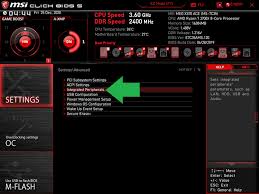
decoding UEFI BIOS: advanced troubleshooting for modern motherboards
In the world of modern computing, the UEFI BIOS stands as a silent guardian, orchestrating the intricate dance between hardware and software. For tech enthusiasts in London and beyond, understanding this powerful tool can be both fascinating and daunting. Whether you’re aiming to enhance system performance or troubleshoot nagging issues, decoding UEFI BIOS is essential for any serious geek. It’s time to dive into this digital realm where innovation meets functionality, unraveling the mysteries that lie within your motherboard’s firmware. Let’s explore how mastering UEFI can elevate your computing experience to new heights!
Understanding UEFI BIOS and its role in modern motherboards
UEFI, or Unified Extensible Firmware Interface, has revolutionized the way motherboards operate. Unlike traditional BIOS systems that relied on a text-based interface, UEFI brings a graphical user experience to life. This shift enhances both usability and functionality for users.
Modern motherboards utilize UEFI as the foundational layer between your operating system and hardware. It initializes components during startup and facilitates booting processes with unmatched speed. You can say goodbye to those lengthy boot times of yesteryear.
Moreover, UEFI supports larger hard drives and advanced file systems like GPT (GUID Partition Table). This means seamless access to data storage capacities well beyond the limits of older BIOS standards.
Its modular design allows manufacturers to add features tailored for specific needs, making it adaptable in an ever-evolving tech landscape. Whether you’re gaming or managing complex tasks, understanding this firmware is crucial for maximizing performance.
The benefits of using UEFI BIOS
UEFI BIOS brings a host of advantages that cater to modern computing needs. One of its standout features is the faster boot time. Compared to traditional BIOS, UEFI initializes hardware quicker, allowing your system to start up promptly.
Another significant benefit is support for larger hard drives. UEFI can handle drives over 2TB, which is crucial as storage demands continue to grow in our digital age.
The graphical user interface (GUI) offered by UEFI enhances usability. It provides a more intuitive experience compared to the text-based layout of legacy BIOS systems.
Moreover, secure boot functionality adds an extra layer of protection against malware attacks during startup. This security feature ensures only trusted software loads when you power on your computer.
UEFI supports better hardware compatibility and flexibility with newer technologies, making it ideal for gamers and professionals alike seeking high performance from their systems.
Troubleshooting common issues with UEFI BIOS
Troubleshooting UEFI BIOS can seem daunting, but many common issues are straightforward to resolve. If your system fails to boot, start by checking the boot order. Ensure that the correct drive is prioritized in the settings.
Another frequent issue is a black screen during startup. This could be related to display settings or hardware problems. Check all connections and consider reseating RAM modules and graphics cards.
Sometimes, you may experience unexpected crashes or freezes. These can stem from incompatible hardware or incorrect BIOS configurations. Resetting the BIOS to default settings often alleviates these issues.
If you’re facing problems with detecting storage drives, ensure they’re connected properly and recognized within UEFI’s interface. Sometimes updating firmware can also help solve recognition issues.
Getting familiar with diagnostics tools available in UEFI can further simplify identifying specific problems while enhancing your motherboard’s performance significantly.
Advanced options for optimizing performance in UEFI BIOS
Diving into UEFI BIOS opens a world of performance tuning opportunities. It’s not just about booting your system; it’s an avenue for enhancing efficiency.
One key feature is adjusting the CPU settings. Overclocking can unleash additional power, but proceed with caution. A slight increase in voltage might yield significant gains.
Next, consider memory timings. Tightening these settings can lead to faster data transfer speeds. Experimentation here can produce noticeable differences in overall responsiveness.
Storage options also deserve attention. Enabling AHCI mode improves SSD performance compared to legacy IDE settings, maximizing read and write speeds effortlessly.
Don’t overlook fan control features either. Customizing fan curves maintains optimal temperatures while reducing noise levels during lighter tasks or gaming sessions.
Explore power-saving features that balance performance and energy consumption effectively—an essential consideration for sustainability-minded enthusiasts!
Security measures and updates for UEFI BIOS
Security is essential when it comes to UEFI BIOS. This firmware acts as the bridge between your operating system and hardware, making it a target for malicious attacks.
Regular updates are crucial. Manufacturers often release patches that address vulnerabilities. Keeping your UEFI BIOS up to date protects against potential exploits.
Secure Boot is another feature worth noting. It ensures only trusted software loads during startup, creating an additional layer of defense. Enabling this setting can significantly enhance security.
User access controls shouldn’t be overlooked either. Setting strong passwords and restricting unauthorized changes helps safeguard your system from intruders.
Consider using tools provided by manufacturers for monitoring integrity checks on files within the UEFI environment. These measures add yet another barrier against threats lurking in modern computing landscapes like those discussed at events such as Geeks Callout in London.
Exploring alternative BIOS options
When it comes to BIOS, UEFI is not the only player in town. There are alternative options that cater to specific needs and preferences.
Legacy BIOS continues to hold relevance for older systems. It offers a straightforward interface and compatibility with various hardware configurations. Many users appreciate its simplicity, especially for basic setups.
Coreboot has emerged as a modern alternative focused on speed and flexibility. This open-source firmware can significantly reduce boot times while allowing customization tailored to user requirements.
Then there’s SeaBIOS, another popular choice among enthusiasts who enjoy tweaking their systems. Its versatility makes it suitable for different platforms, offering features often absent in conventional UEFI settings.
For those exploring unique scenarios or requiring specific functionalities, these alternatives present viable solutions beyond traditional UEFI offerings. They empower tech-savvy individuals to mold their computing experience according to their desires.
Conclusion
Navigating the world of UEFI BIOS can seem daunting, especially for those unfamiliar with the intricate details of modern motherboards. However, understanding its role and features opens up a realm of possibilities for optimization and troubleshooting.
It’s clear that UEFI brings numerous benefits to the table, including faster boot times and improved security features. With this knowledge in hand, users are better equipped to tackle common issues they may encounter. Advanced options within UEFI allow tech enthusiasts to fine-tune their systems for peak performance.
Security remains a paramount concern in today’s digital landscape. Regular updates help protect against vulnerabilities while ensuring your system is running smoothly. Exploring alternative BIOS options offers additional flexibility tailored to specific user needs or preferences.
For anyone getting into customizing or repairing computers, learning about UEFI BIOS is really important. Whether you’re tweaking performance settings or protecting your system from threats, understanding this technology is key. This is especially true if you attend events like Geeks Callout in London, where these topics are frequently discussed.!