Custom Wordle: A Complete Beginner’s Guide
Handing someone a puzzle you made yourself feels different from sharing a daily puzzle everyone else is solving. When you choose the word, you choose the joke, the memory, or the gentle challenge inside it — a nickname friends recognize, a lesson word, or a shared place. That personal touch makes it popular for birthdays, classrooms, and team chats.
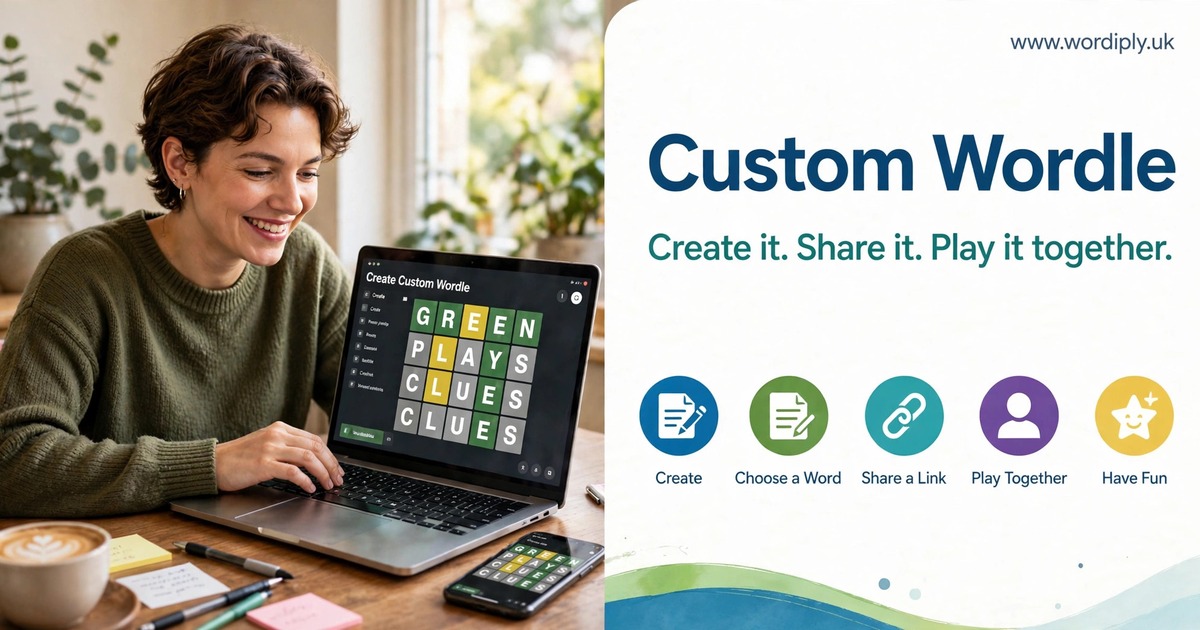
A custom wordle is a Wordle-style puzzle built around a word chosen by its creator, not by a daily game. The creator types in a word, the maker turns it into a playable grid, and a shareable link is produced. Anyone opening the link can guess the hidden word from the color clues after each attempt. This guide explains what these puzzles are, how they differ from the daily game, which makers people use, and how to create and share one.
What Is a Custom Puzzle?
The difference is who controls the answer. In the official daily game, every player gets the same word on the same day. In a player-made puzzle, the creator controls the answer, and often the word length and number of guesses too. A teacher can choose a spelling-list word, a friend an inside joke, a parent a word a child is learning. The puzzle becomes a message as much as a game. If you enjoy word games, the Wordiply homepage is a useful place to explore more puzzles between games.
Most makers are quick to use. You do not need to design a grid or write code: you enter a word, the tool builds the puzzle, and you receive a link to share. Some also let you add a hint or note, adjust attempts, or offer a group leaderboard. These tools are not the official New York Times Wordle, and they do not replace the daily game.
How It Differs From the Daily Game
The daily game is a shared ritual: everyone faces the same answer and can compare how many guesses it took. A player-made puzzle works differently. Only the people you share it with can play it, and only you know the answer in advance — so the conversation is smaller, but more personal.
Timing also differs. The daily game gives you one puzzle per day, then you wait for the next one. A personal puzzle has no such limit: you can make one for a birthday, a study group, and a family quiz all on the same day.
| Feature | Daily Official Game | Player-Made Puzzle |
|---|---|---|
| Who chooses the word | The game, the same for everyone | The creator, for chosen players |
| How many puzzles per day | One | As many as you create |
| Word length | Five letters in the official game | Varies by maker |
| Number of guesses | Six in the official game | Varies by maker, sometimes adjustable |
| How players access it | Through the daily game | Through a link or QR code you share |
| Best for | A shared daily ritual | Personal messages, lessons, and celebrations |
The Best Makers Compared
Wordler offers a Wordle Generator where you enter a word, generate a link, and share it — ideal for a puzzle in under a minute. Wordle Maker is described as free, lets you choose a word of three to ten letters, and lets you generate and share a link with no signup. It is stated to be not affiliated with the New York Times. Puzzel.org lets you build a Wordle and share it by link or QR code; building and playing are described as free, while embedding needs a paid plan, so simple link sharing needs no paid feature.
Customwordle.app lets you pick a word of three to ten letters, set the attempts, and share a link, plus a multiplayer leaderboard. Vowelkit differs: you pick a word, add a name, note, or hint, and a friend plays in the browser with six guesses. Beebom’s guide also notes Word.Rodeo (three to fifteen letters, three to twelve guesses, plus languages) and MyWordle (custom word length, multiple languages) — wider ranges for very short or longer words.
| Maker | Word Length | Guesses | Sharing | Cost As Verified |
|---|---|---|---|---|
| Wordler | Not stated | Not stated | Link | Not stated |
| Wordle Maker | 3 to 10 letters | Not stated | Link | Free as described |
| Puzzel.org | Not stated | Not stated | Link or QR code | Free to build and play; embedding needs a paid plan |
| customwordle.app | 3 to 10 letters | Attempts can be set | Link | Not stated |
| Vowelkit | Not stated | Six guesses | Played in browser | Not stated |
| Word.Rodeo | 3 to 15 letters | 3 to 12 guesses | Not stated | Not stated |
| MyWordle | Custom word length | Not stated | Not stated | Not stated |
How to Create One Step by Step
When you make a custom wordle for the first time, start with the audience rather than the word. A word perfect for friends might confuse a class, and a word perfect for a class might feel dull for a birthday group. Rushing this choice is the most common reason a puzzle feels too easy or unfairly hard. Buttons and labels may differ by tool, but the order of decisions stays the same.
- Choose your maker. Pick a tool supporting the word length, guesses, and sharing method you need.
- Decide on your word. Choose one word fitting your audience, theme, and length limits.
- Check the spelling. Read it letter by letter, as your players will expect it.
- Enter the word. Type it exactly, without extra spaces or punctuation unless supported.
- Set the guesses if allowed. Give beginners more attempts, experienced players fewer.
- Add a hint only if it helps. A short clue warms a puzzle up; an unclear one confuses.
- Generate and test the link. Open it on a phone and confirm the colors and reveal work.
- Share it with a short message. Say the guess count, any hint, and the reveal time.
- Follow up. Share the answer, celebrate solvers, and ask for the next word.
How to Share Your Puzzle
The simplest method is a link sent through a message, email, or group chat, since most players already know how to open one on a phone. In person, a QR code can be smoother: players point a phone camera at it and the puzzle opens directly.
A good sharing message answers three questions: what is this, how do I play, and what happens next. Explain the color clues briefly if players are new, and say whether there is a time limit, a leaderboard, or a later reveal. One or two sentences, then the link, is usually enough. A custom wordle link sent without explanation can look like spam, so a friendly note builds trust and encourages play.
Ideas for Words Worth Choosing
The best words are rarely the hardest. They are the words that mean something to the people playing: a shared memory feels more rewarding than a rare word chosen only because it is difficult. Think about birthdays, holidays, lessons, hobbies, places, and favorite foods.
- Birthdays: a hobby, favorite food, party theme, or nickname
- Classrooms: a spelling word, science term, or book title word
- Study groups: a key lesson term or vocabulary word
- Teams at work: a project word or shared value
- Family chats: a holiday place, family recipe, or pet name
- Holidays: a festive word, tradition, or seasonal food
- Sports fans: a team word or favorite player name
- Book clubs: a character name, setting, or book theme
A custom wordle made for a classroom deserves extra care: it should teach as well as entertain. If the word is new vocabulary, a hint giving its meaning can connect it to the lesson; if it is a revision term, no hint may be needed. Asking learners to use the word in a sentence after play turns a game into a teaching moment.
Tips for Fair and Fun Puzzles
A fair puzzle is one where a thoughtful player can win. Common words, familiar names, and lesson vocabulary are usually fair; extremely rare words, unusual spellings, and words from an unfamiliar language are usually unfair, unless a strong hint points clearly to the answer. Fairness is not about ease; it is about difficulty coming from thinking, not guessing the unguessable.
A custom wordle that works well for a group also respects different playing speeds. Some solve in a minute, others need ten minutes, so do not announce a winner too quickly or share the answer early. If you use a leaderboard, celebrate effort as well as speed.
Common Mistakes to Avoid
Most mistakes happen before sharing. The most common is choosing a word too obscure for the audience: if players have never seen it, they cannot reason to it. Another is a spelling mistake, which can make a puzzle impossible, since players guess the word you typed, not the one you intended. Reading it aloud, letter by letter, prevents this.
- Choosing a word your players have never seen or cannot guess
- Typing the word with a spelling error or unexpected variation
- Forgetting to test the link on a phone before sharing widely
- Giving too few guesses for the word length or audience
- Adding a hint that confuses, misleads, or gives the answer away
- Sharing a private puzzle where strangers can see it
- Revealing the answer before slower players have had a chance
- Repeating the same word or theme until the game feels stale
A custom wordle can also go wrong when the creator expects everyone to play at the same time. Give players a generous window instead, and if you want a live group moment, schedule it in advance so they can join by choice.
A Quick Checklist Before You Share
Run through this checklist every time, especially for a large group or a class. It takes less than a minute.
- Word chosen for this audience, theme, and occasion
- Spelling checked letter by letter, including repeated letters
- Word length fits the maker’s limits
- Guess count set fairly for the group
- Hint added only if it helps, and tested for clarity
- Link or QR code generated and tested on a phone
- Sharing message explains the game, guesses, and reveal time
- Link shared only with the intended group, not publicly
- Answer reveal planned, with time for slower players
- Next word idea noted
A custom wordle shared with care can become a small tradition: a Friday class puzzle, a birthday family puzzle, or a team celebration starter. Traditions grow when each puzzle feels thoughtful and fair.
FAQs
What is a player-made Wordle-style puzzle?
It is a puzzle built around a word chosen by its creator, rather than a word chosen by a daily game. The creator enters a word into a maker tool, the tool builds a grid, and a link is shared with friends, family, or a class. A custom wordle made this way keeps the familiar color clues, while making the answer personal.
Do I need to pay to make one?
It depends on the maker and feature you need. Wordle Maker is described as free, and Puzzel.org as free to build and play, with embedding needing a paid plan. For simple link sharing, the free options here should be enough for most personal and classroom uses.
How many letters and guesses can I use?
It varies by maker. Wordle Maker and customwordle.app support three to ten letters, while Word.Rodeo supports three to fifteen letters and three to twelve guesses. Vowelkit gives six guesses in the browser, and MyWordle offers a custom word length. Always check your maker’s limits before settling on a word.
What if nobody solves my puzzle?
Do not worry: an unsolved puzzle is still a useful clue about difficulty. Reveal the answer kindly, explain why you chose the word, and ask what would have helped, such as an extra guess or a clearer hint.
Conclusion
Making your own puzzle is a small act of creativity with a warm result. You choose a word, a maker turns it into a game, and the people you share it with get a moment of curiosity and delight. Whether for a birthday, a lesson, or a team celebration, the personal touch makes it memorable.
Start with one word and one group. Pick a maker fitting your word length and sharing needs, test the link, and share it with a short, friendly message. Then note what worked, and make the next one better.